Application isolation
Windows applications run sandboxed and AppArmor-confined, in per-application environments.
Boswas OSv1 Alpha
A modern Linux desktop built by Boswas — designed around security, compatibility, control and a familiar desktop experience.
Try Boswas OS directly from a USB drive. No installation required.
01 Try it first
Create a bootable USB drive, start your computer from it, and launch a full Boswas OS Live Session without modifying your existing installation.
Boswas-OS-v1-alpha-amd64.iso · ~2.8 GB
Write the ISO with a raw image writer.
Choose the USB drive from your boot menu.
Start the installer from the Live Session.
Your existing OS can remain untouched while you explore the Live Session.
Nothing is written to your disk
· until you choose to install
02 Live Session
Boswas OS can run directly from a bootable USB drive. Explore the desktop, test hardware, connect to networks, launch applications, explore settings, and evaluate the experience before installation.
Live Session sign-in: user boswas · password live. Nothing is saved after shutdown.
03 Boswas Control Center
The Boswas Control Center brings network, devices, applications, security, users and updates into a single, consistent system-management experience.
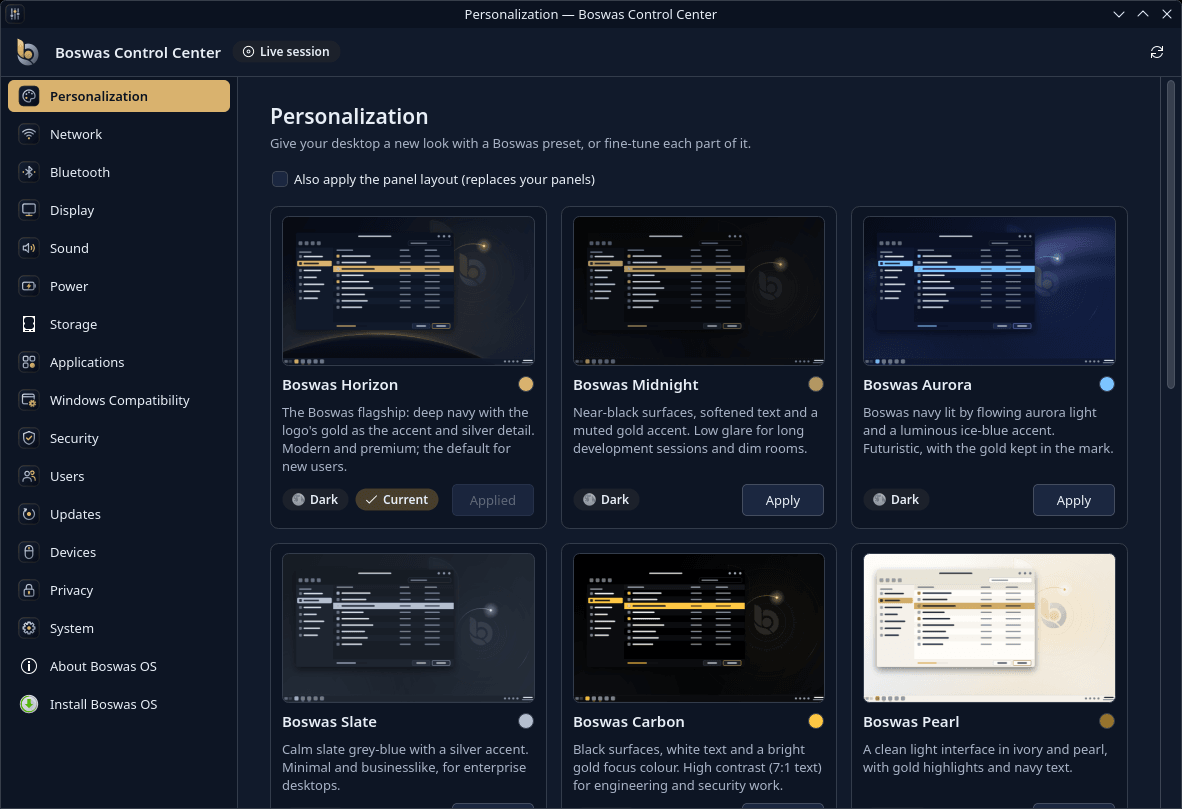
In the sidebar17 categories
04 Windows Compatibility
Run supported Windows applications through a dedicated compatibility environment. Boswas OS includes a Wine-based environment for supported x86_64 Windows applications — each one installed, isolated and managed on its own.
Compatibility depends on the application. Not every Windows program is supported, and Windows applications do not run natively.
05 Security
Security is treated as a core part of the Boswas OS architecture — built from documented Debian mechanisms, enabled by default and reported plainly, so you can see what is protected and what is not.
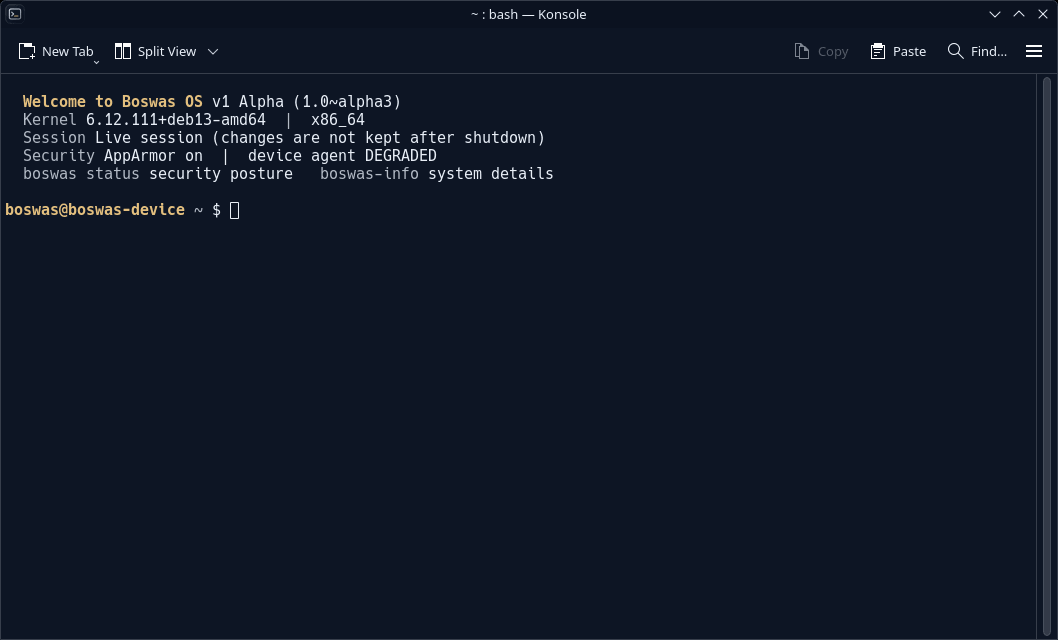
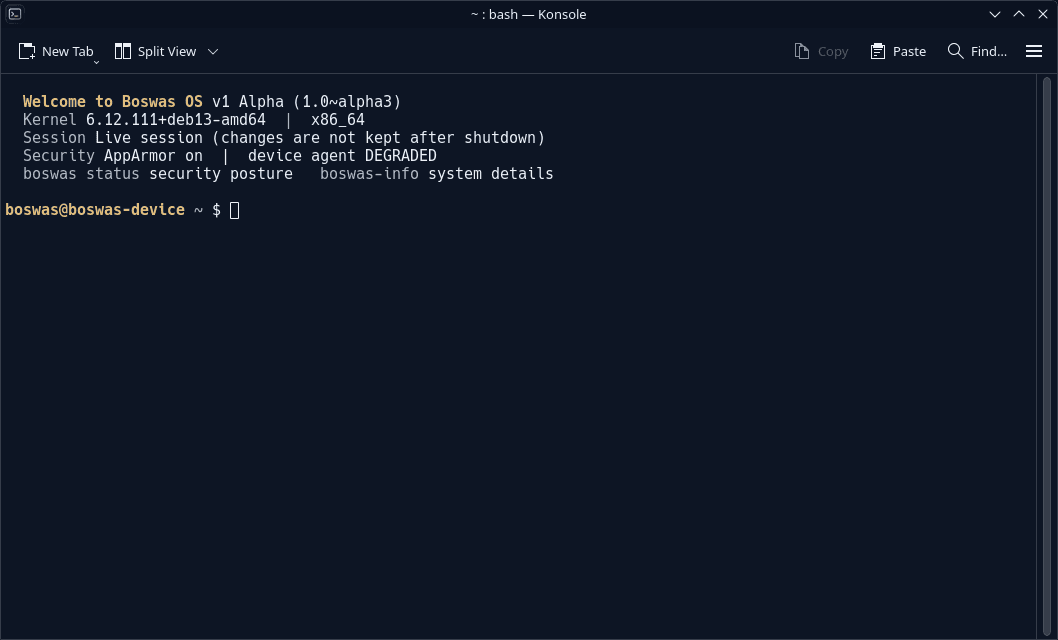
The welcome banner reports the release, session and security posture — including components that run degraded in a Live Session, rather than hiding them.
Windows applications run sandboxed and AppArmor-confined, in per-application environments.
AppArmor mandatory access control, an inbound-deny nftables firewall and audit rules for privileged changes.
The installer sets up full-disk encryption (LVM inside LUKS2) and keeps the root account locked.
The boswas status tool reports each control as pass, warning or fail — including what the Live Session can't enforce.
Administrative access goes through an explicit administrator account with sudo — no hidden accounts.
No SSH server by default, and security-only updates installed automatically from Debian.
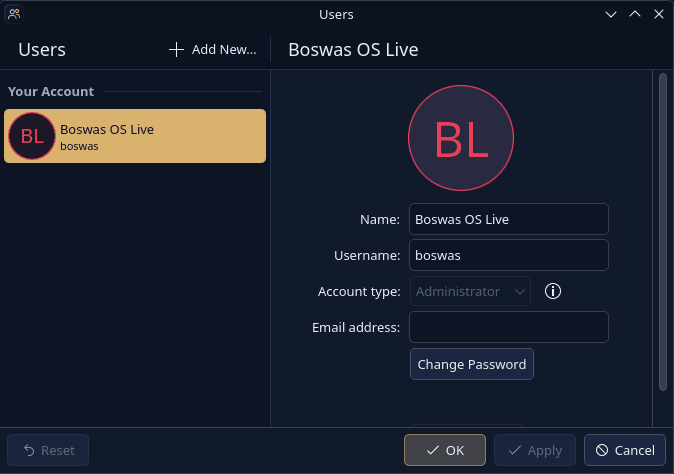
User management
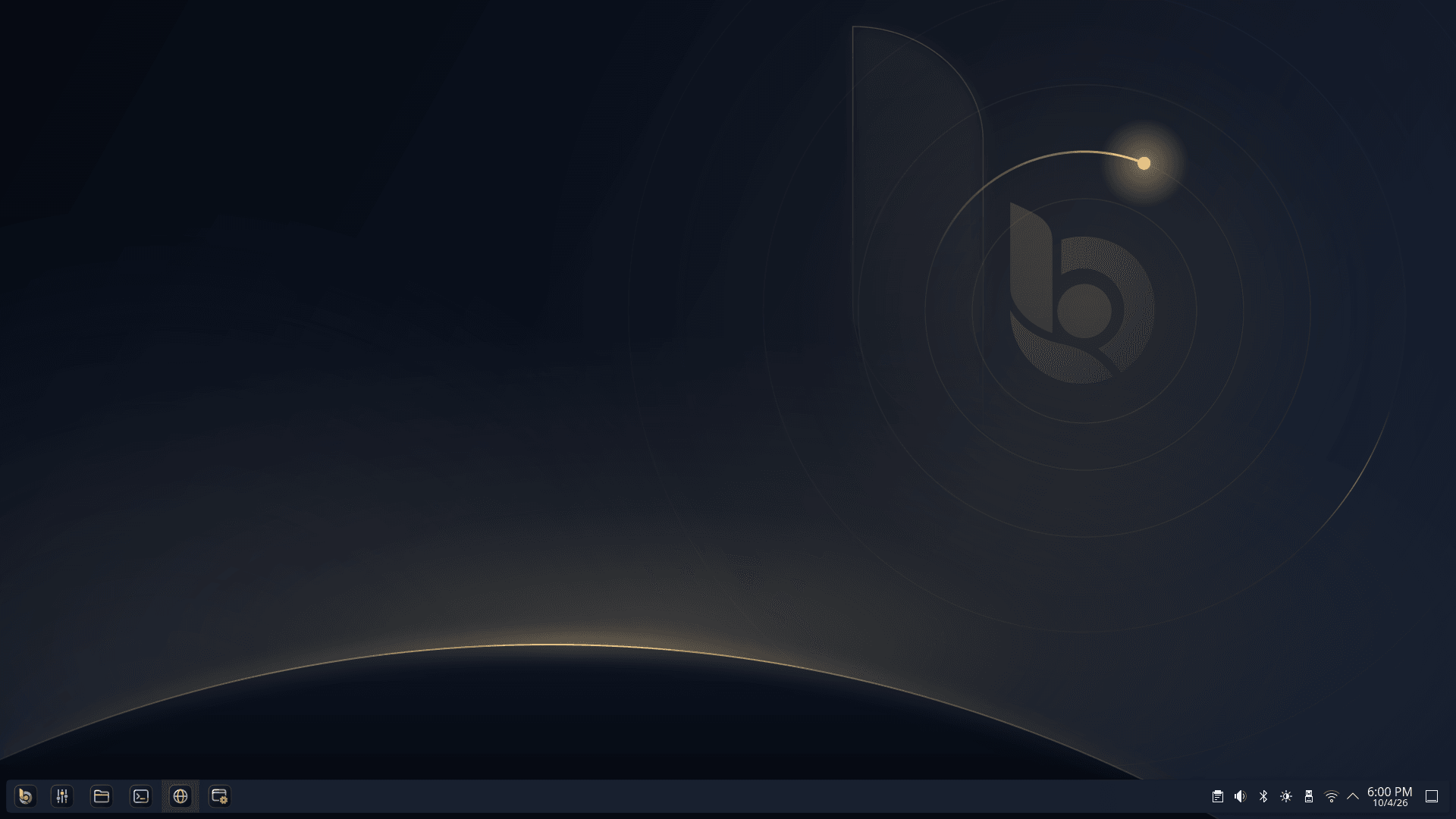
Manage accounts, account types, passwords and profile pictures from the Users page. On an installed system, the administrator is the account you create during setup; the root account stays locked.
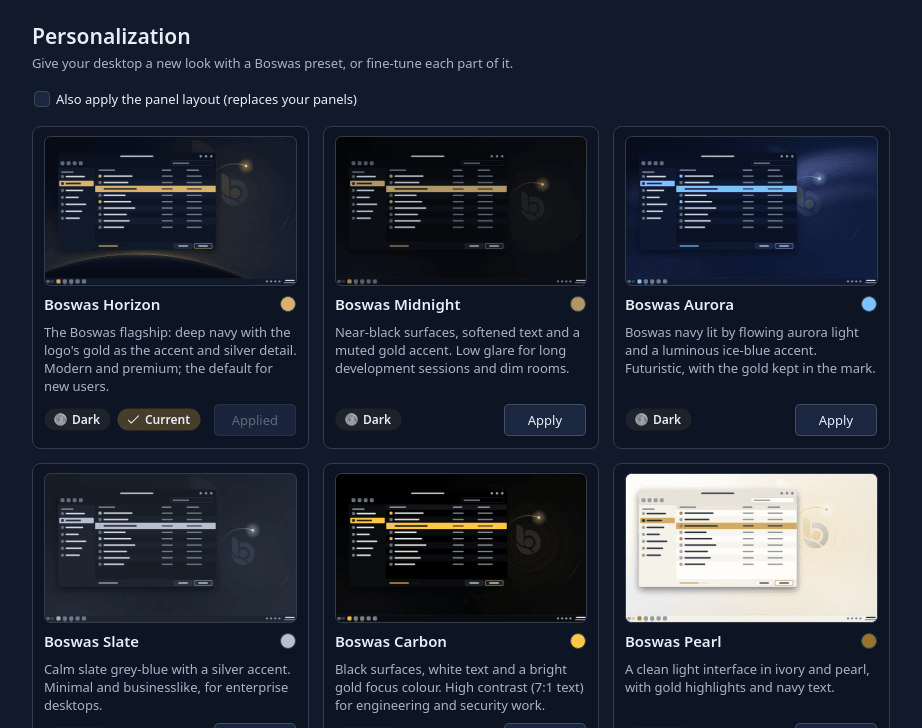
06 Personalization
Boswas OS is drawn from the Boswas Group mark — its navy, its gold and its horizon. Pick a Boswas preset in one click, or fine-tune each part of the desktop yourself.
07 Why Boswas OS
Boswas OS exists to give people a desktop they can trust and understand: one that protects by default, explains its own state, and still runs the software they rely on.
Encryption, confinement and a firewall are defaults of the system, not optional extras.
Try it from USB, keep your current system, and install only when it fits your work.
KDE Plasma 6 on Wayland, on a current Debian 13 base and Linux 6.12 kernel.
Six Boswas presets, or fine-tune each part of the desktop yourself.
Supported Windows applications run in a dedicated, isolated compatibility environment.
One Control Center for the whole system, and status reports written to be read.
08 Inside Boswas OS
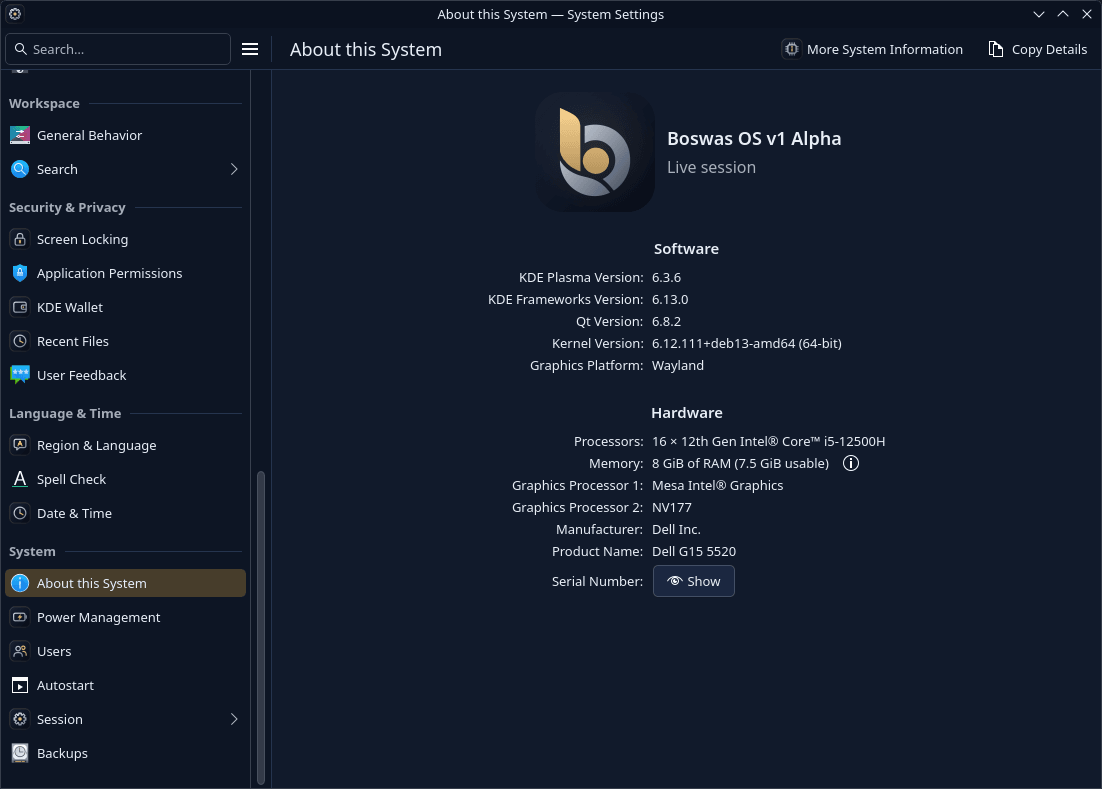
Unedited captures from the Boswas OS v1 Alpha Live Session — the same build you can download today.
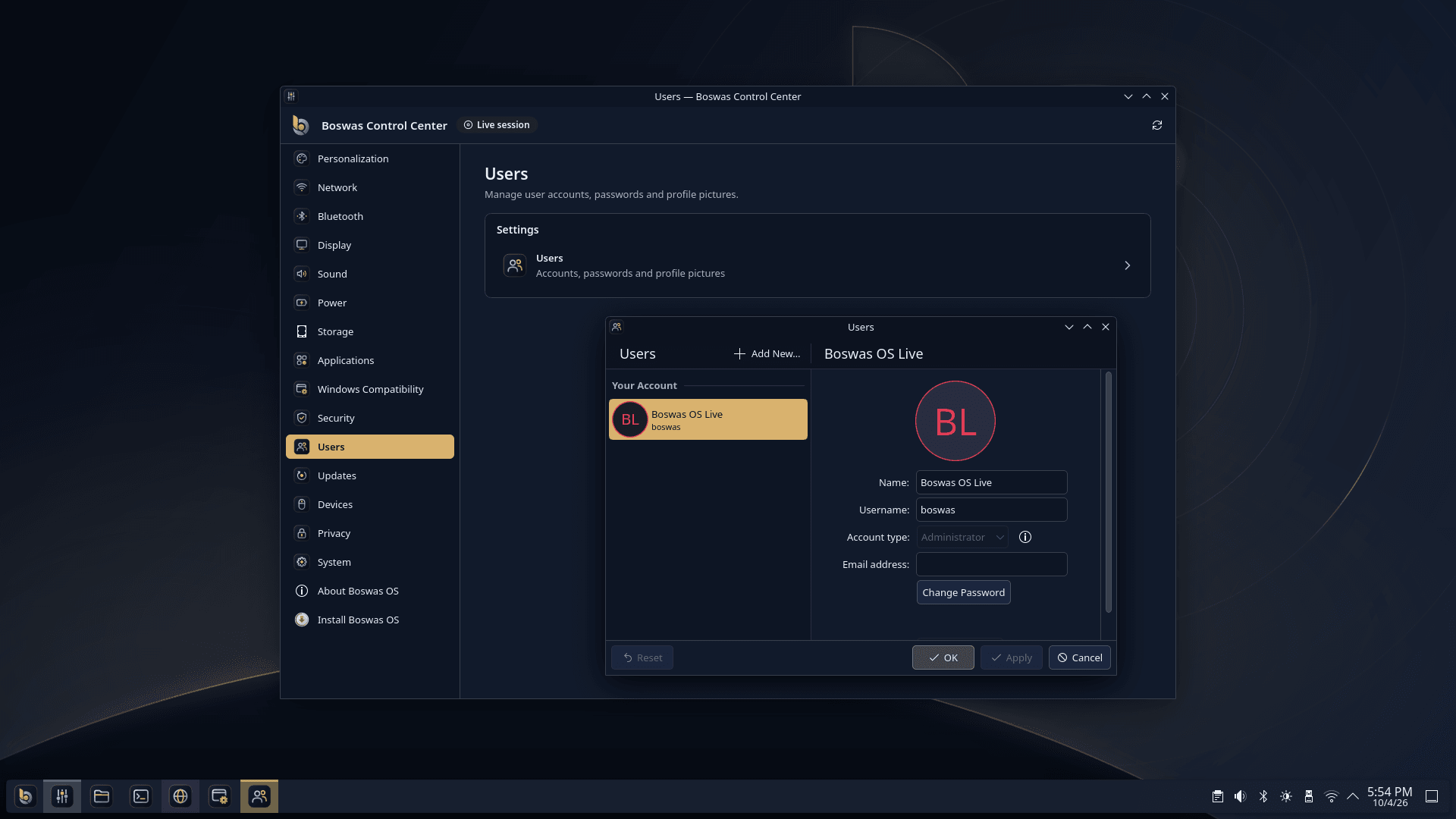
01Desktop — The Boswas desktop with the Control Center and account management open.
09 Specifications
A current Debian base, the KDE Plasma 6 desktop on Wayland and a long-term Linux kernel — as reported by the release itself.
Before you install
Hardware requirements are still being finalized during the Alpha phase. These figures come from the current Boswas OS hardware compatibility list. Compatibility may vary based on:
The Live Session is the best way to check your hardware before installing.
10 Installation
The installer is on the same USB drive as the Live Session. When you're ready, it walks you through language, account, disk and encryption — step by step.
Get Boswas-OS-v1-alpha-amd64.iso (~2.8 GB). The SHA-256 checksum is published on the release page.
Use a raw image writer — Rufus in “DD image” mode on Windows, balenaEtcher, or dd on Linux.
Open your firmware's boot menu and choose the USB drive. Boot in UEFI mode; Secure Boot can stay on.
It starts automatically after a few seconds. A safe-graphics entry is there for problematic GPUs.
Use the desktop, apps and Control Center. Nothing is saved, and your disk is left untouched.
Choose Install Boswas OS. You set the administrator account and the disk-encryption passphrase.
Alpha software — back up important data before installation.
Installing Boswas OS erases the disk you select and sets it up with full-disk encryption. Keep your encryption passphrase safe: it is needed at every boot.
11 Download
Latest Alpha Release
Boswas-OS-v1-alpha-amd64.iso · build 1.0~alpha3
The ISO is currently hosted on Google Drive. You can try Boswas OS directly from a bootable USB before installing it. The SHA-256 checksum and build manifest are published on the release page.
Boswas OS
Download Boswas OS, boot the Live Session and see it on your own hardware — your current system stays exactly as it is.